
01
Most VJ apps Beat detection (BPM lock)
Detects tempo and bar phase. Useful for tempo-synced clip launching, but the visual itself doesn't move with the music; it just changes on the bar.
Audio Engine · Last updated May 2026
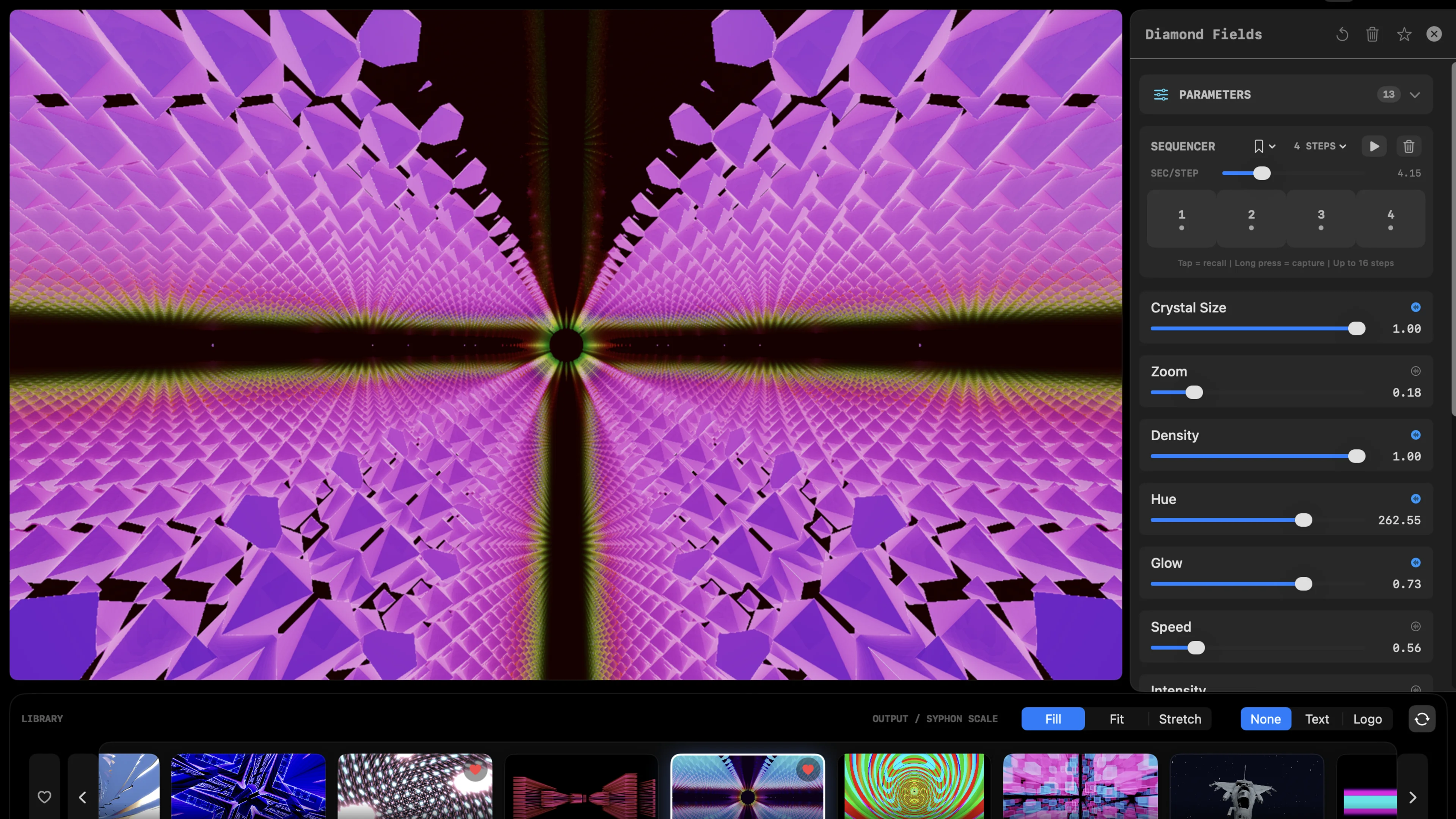
RenderWave's audio engine routes kick, snare, bass, mids, and highs to independent shader parameters. Every shader can react to a different element of your music on an Apple Silicon Metal-compute pipeline.
14-day full-access trial. Card required. Cancel before day 15 and you will not be charged.
Primer
"Audio-reactive" is a vague label that covers everything from a single brightness pump on the kick to a full modulation graph routing every frequency band into dozens of shader parameters. Most VJ apps land near the bottom of that range. A handful land near the top. The gap matters because it's the difference between visuals that move and visuals that perform.
Below is the practical ladder of audio-reactive techniques, ordered roughly from simplest to most expressive. Every rung above the one before it gives a VJ more control over what the visual says about the music: not just that there's music playing, but which part of the music is driving which part of the picture.
Detects tempo and bar phase. Useful for tempo-synced clip launching, but the visual itself doesn't move with the music; it just changes on the bar.
Maps overall loudness to one parameter (usually brightness). Looks reactive on a meter; in practice it pumps with the kick and ignores everything else.
Splits the signal into bass and treble (sometimes mids), with attack/release per band. Tools like Arkestra work this way. Better, but you can't separate the kick from the bassline, or the snare from the hats.
Runs a real FFT and exposes multiple frequency bands; Ghost Arcade ships eight. The kick has its own band. The hi-hat has its own band. Each band can drive its own shader uniform.
Any band routes to any shader uniform, with its own attack/release, depth, and response curve. Four mel bands plus a 256-bin spectrum × dozens of parameters per shader × custom curves = an actual modulation graph.
Detects discrete percussive events (the moment a kick lands or a snare cracks) and fires triggers, not continuous modulation. Drives shader swaps, strobes, and event-based transitions.
Estimates the fundamental pitch or the harmonic content (chroma vector). Used for melody-driven visuals in ambient and orchestral sets where amplitude tells you nothing useful.
Pipeline
The signal flow is straightforward and the architectural choices are deliberate. Audio comes in at 44.1 or 48 kHz from any macOS audio input: system audio, USB audio interface, Aggregate Device, or a DJ controller. It's routed to a dedicated analyzer thread that runs an FFT every audio buffer, not every video frame. That's the first reason RenderWave's audio reactivity is tighter than tools that analyze on the render thread: the analyzer never blocks the GPU and the GPU never blocks the analyzer.
The FFT output is folded into a 256-bin mel-scaled spectrum and grouped into four mel-scale bands: bass, mid, mid-high, and high. Each band feeds an envelope follower with independent attack and release times. That's where you tune the response from snappy (techno kick) to glassy (ambient pad). The follower output is the modulation source the shader pipeline actually reads.
On top of the continuous bands, an onset detector watches for percussive transients. The kick detector listens to the sub-bass envelope's derivative and fires on the leading edge of a hit, not on the peak, which gives the visual a head start of a few milliseconds against a beat-locked clip launcher. A separate snare detector watches the 1.5–3 kHz band for the characteristic snare burst. Both detectors emit discrete trigger events alongside the continuous modulation values.
The routing layer is where it stops being a technicality and starts being playable. Drag any band to any shader uniform. Set a depth, a curve (linear, exponential, logarithmic, or a custom S-curve), and a smoothing time. Repeat for every uniform on every shader. The mapping is saved per shader, per scene, per show, and it cross-fades cleanly when you swap between presets, so the audio routing never resets in the middle of a set.
Tempo is handled separately. The BPM estimator runs continuously, and Ableton Link is exposed for any host on the network: Live, a hardware sampler, another VJ rig. Where most VJ tools treat tempo and audio modulation as the same thing, RenderWave keeps them separate because they answer different questions: tempo says when, audio modulation says how loud / how bright / how warped right now.
The shader pipeline reads the band values, onset triggers, and tempo phase as a single uniform buffer at the start of every render pass. There's no CPU round-trip, no audio-to-render thread sync barrier, and no per-shader allocation. That's why the routing layer can stack across eight effects without spending the GPU budget on bookkeeping.
Audio modulation depth, band count, onset detection, per-parameter routing, and Mac-native status across the major VJ tools. Summarized from public vendor documentation as of May 2026; prices and specs change, so check the vendor's page.
| Tool | Audio modulation | Bands | Onset detection | Per-parameter routing | Mac native |
|---|---|---|---|---|---|
| RenderWave | Per-band per-parameter | 4 mel bands + 256-bin spectrum | Yes (kick / snare) | Yes: any band → any uniform | Yes: Metal-compute native |
| Synesthesia | Beat + envelope | Multi | Yes | Limited | Yes |
| Magic Music Visuals | Per-band | Multi | No | Yes (modular graph) | Cross-platform |
| Arkestra | Envelope follower | 2 (bass / treble) | No | Limited | Yes (Metal) |
| VDMX | ISF audio reactor | Multi (via plugins) | Yes (with plugins) | Yes (modulation chain) | Yes |
| Resolume | BPM + envelope | Multi | No | Limited | Cross-platform |
| Ghost Arcade | 8-band FFT | 8 | Yes (kick / snare) | Limited | Cross-platform |
| TouchDesigner | CHOPs (build it yourself) | Configurable | Yes (DIY) | Yes (DIY) | Yes (MoltenVK) |
Competitor capabilities summarized from public vendor pages. Specs change; check the vendor's page for the current picture.
By genre
Per-band routing isn't useful in the abstract. It's useful when it answers the question "which part of the track should drive which part of the picture?" Different genres want different answers.
Kick locks the strobe. Hat drives particle emission. Bass moves the camera. Drone fills the wash.
Four-on-the-floor wants four-band routing. Separate the kick from the bass, the hat from the snare, and the visual stops feeling like a single envelope pumping.
Snare drives shader warp. Breakbeat onset triggers shader swaps. Sub-bass drives geometry distortion.
Breakbeat genres need event-based triggers, not just continuous modulation. Onset detection fires shader changes on the snare crack, not on the bar line.
Bassline drives color cycle. Claps trigger flash transitions. Hat shimmer drives bloom intensity.
House is rhythmically simpler but texturally rich. Use slower curves and longer release times so the visual breathes instead of pumping.
Sub-bass drives geometry distortion. Drop onset triggers shader swaps. Wobble drives parameter LFO depth.
Drops are events. Wobbles are continuous. Route the drop onset to a shader trigger and the wobble bass to a modulation depth knob and the visual sits in the music instead of on top of it.
Pitch tracking drives smooth modulations. Slow band averages drive color. No sharp transitions.
Amplitude tells you almost nothing in ambient. Pitch and harmonic content do. Smooth attack/release and long curves keep the visual from twitching during quiet passages.
Latency
Audio-to-visual latency is the gap between a kick hitting the speaker and the visual responding to it. Below about 30 ms, audiences read the visual as locked to the music. Above 50 ms, it reads as delayed: even if your sync to BPM is perfect, the picture lags the room. Beyond 100 ms, it's actively distracting.
RenderWave's audio-to-visual path is measured in frames, not seconds. It runs in three stages: audio buffer arrival (driven by the audio interface buffer size), FFT analysis and envelope follow (on Apple Silicon's Accelerate / vDSP path), and shader pipeline dispatch to the first visible frame, one to two frame intervals at 60 Hz.
Cross-platform VJ tools running over OpenGL or Vulkan-to-Metal translation layers pick up extra delay because every layer adds a buffer. RenderWave skips all of that by running direct-to-Metal compute with a unified-memory zero-copy texture path.
Tempo sync
Ableton Link is a network protocol for sharing tempo and bar phase between music apps on the same LAN. RenderWave participates as a peer: discover Ableton Live, a hardware sampler, another VJ rig, or any Link-capable app on the network and they all share the same beat and the same bar position without timecode cabling, MTC, or MIDI clock drift.
For audio reactivity, Link gives you tempo-locked transitions on top of FFT-driven modulation. The kick still drives the strobe; the bar phase still snaps your shader swap to a clean musical boundary. Tempo and audio are independent inputs into the same modulation graph: change one without breaking the other.
Primary reference: github.com/Ableton/link.
Full per-band FFT modulation, kick / snare onset detection, Ableton Link, and the complete 85-shader library. Drop a track in, drag bands to parameters, and play.
Card required for the trial. Cancel before day 15 and you will not be charged.
The questions VJs ask before committing to an audio-reactive engine.
Audio-reactive VJ software is VJ software where visual parameters change in real time based on audio input. RenderWave routes individual audio bands to individual shader parameters: kick, snare, bass, mids, and highs each control different aspects of the visual independently.
RenderWave's audio engine runs a 4-band mel-scale FFT (bass, mid, mid-high, high) with per-band transient hits, per-band presence tracking, and onset-strength detection, plus a 256-bin mel-scaled spectrum. Each band is exposed to every shader as a separate modulation source.
Yes, via Ableton Link. RenderWave receives Ableton's network clock for tempo-locked visuals: no timecode cabling, no MTC handoff. The sync covers tempo, beat, and bar phase.
Beat detection locks tempo (BPM). FFT modulation lets you route specific frequency content (kick drum, snare, hi-hats, bass) to specific shader parameters independently, so your kick can drive a strobe while your snare drives a shader warp at the same time.
Yes. Route any audio input into RenderWave: turntable through a USB audio interface, DJ mixer booth output, or software DJ apps like Rekordbox or Serato. The FFT engine doesn't care what's producing the signal.
Audio-to-visual response is measured in frames, not seconds: a hit reaches the screen within one to two frame intervals at 60Hz. The audio analyzer runs on a dedicated thread and the shader pipeline reads bands as a uniform buffer, not a CPU round-trip.
Yes. RenderWave is designed for it, with Syphon output to projection and streaming pipelines and Ableton Link for tempo sync.
85 production-grade shaders, all audio-routable
Why Metal-native matters for tight audio-to-visual response
Per-band per-parameter routing compared with scene-based reactivity
Mac-native shader engine compared with modular generative visuals
Shaders, effects, audio, MIDI, Syphon, and output details
How RenderWave fits the broader Mac VJ landscape